
What Is an AI Family Assistant? A Parent’s Guide to the Next Family Operating System


By: David Reich, Founder and CEO of Fambot · ~20 years building consumer technology at Uber, UnitedMasters and more
Published: 6.27.26
Last updated: 6.27.26
TL;DR
An AI family assistant is software that reads the scattered information of family life across email, calendars, school newsletters, and apps, then figures out what matters and turns it into a plan. Unlike a shared calendar, it works proactively. You don't enter the events. It finds them.
What is an AI family assistant?
An AI family assistant is a tool that monitors a family's incoming information, identifies what's relevant, and surfaces the actions, events, and decisions a parent needs to act on. The defining trait is that it works without being asked. A calendar shows you what you already typed in. An AI family assistant finds the field trip permission slip buried in a Tuesday newsletter and tells you it's due Friday.
The category sits at the intersection of two older tools that never quite solved the problem. Shared family calendars handle storage but depend on a human to enter everything. AI chatbots can answer questions but only after you ask the right one. An AI family assistant is meant to close that gap by doing the reading and the triage itself. Products like Fambot, Ohai, and Ava all take this shape: connect once, then let the assistant work the incoming flow rather than waiting for input.
Other terms like "AI chief of staff for families," "family OS," and "AI-powered household concierge" describe roughly the same idea: AI that reduces the mental load of running a household rather than just displaying it.
How does an AI family assistant work?
An AI family assistant connects to the channels where family information already lives, reads the incoming flow, and uses large language models to separate signal from noise. Most products today start with email and calendar because that's where the highest-value information concentrates: school communications, sports and extracurricular inormation, schedule changes, invitations, forms, and sign-ups.
The work breaks into four stages.
Ingestion. The assistant connects to your inbox and calendar, usually through OAuth so it never stores your password. Some products also read group chats, kid-activity apps, or photographed flyers. The richer the inputs, the less you have to forward or type yourself.
Identification. This is the hard part and the real product. A school's weekly newsletter might run 1,200 words and contain exactly one thing that matters to you: early dismissal next Wednesday. The assistant has to recognize that line as family-relevant and ignore the fundraiser it's wrapped around. This is the step Fambot is built around — decoding school newsletters and logistics into the one or two items that actually need your attention.
Planning. Once it knows what matters, the assistant turns it into something usable. It adds events to your calendar, flags conflicts, surfaces decisions like an RSVP, and assembles a daily digest. The good ones don't just list items. They prioritize them and can even take actions on your behalf - like finding the right birthday gift.
Interaction. Most assistants are available on demand too, through chat or text, so you can ask a follow-up or hand off a task. The assistant runs in the background and steps forward when you need it.
The quality of the whole chain depends on identification. An assistant that can read your inbox but can't tell a permission slip from a promotional email is just a slower calendar.
.png)
Why does an AI family assistant matter in 2026?
It matters because the mental load of running a family is heavy, measurable, and unevenly distributed. Research from the University of Bath, surveying 3,000 US parents, found that mothers carry an average of 71% of the household mental load while fathers handle 29%. That cognitive work, the planning and remembering and organizing, is the exact thing this software targets.
The load has a real cost. A study published in the Archives of Women's Mental Health found that mothers who shoulder a disproportionate share of cognitive household labor report higher levels of depression, stress, relationship dissatisfaction, and burnout. The problem isn't that families lack tools. It's that the existing tools still leave a person doing the thinking.
The technology to address it is new. Until recently, software could store family information or display it, but it couldn't interpret messy, unstructured inputs like a forwarded newsletter or a teacher's email. Language models changed that. For the first time, a tool can read a flyer and understand it the way a parent would. It's the shift that makes products like Fambot possible at all — the interpretation layer, not just the storage layer.
The market reflects the shift. Skylight, which builds family-organization hardware, reported 99% year-over-year revenue growth and more than 9.3 million users as of April 2025, and is now adding AI features of its own. Meanwhile Gartner forecasts a 25% decline in traditional search volume by 2026 as people move toward AI assistants for everyday answers. The behavior is moving toward AI doing the work. Family logistics is one of the most obvious places for it to land.
What's the difference between an AI family assistant and a family calendar?
A family calendar stores and displays what you enter. An AI family assistant finds what you didn't enter and adds it for you. The distinction is proactive versus reactive, and it's the single most useful line to draw when you're comparing products. You can also chat with a Family AI to answer questions like - what time does the baseball game start and is it my day to bring snacks, help me plan my camping trip, or what’s a great spot for a family dinner on my way back from the trip - and get answers via text-message or in the app.
Here's how the main categories of family tools differ:
The categories blur at the edges. Several hardware and calendar products are bolting AI features onto their existing tools, and some assistants still lean on forwarding. But the question to ask about any product is simple: does it find things on its own, or do I still have to tell it everything?
What should you look for in an AI family assistant?
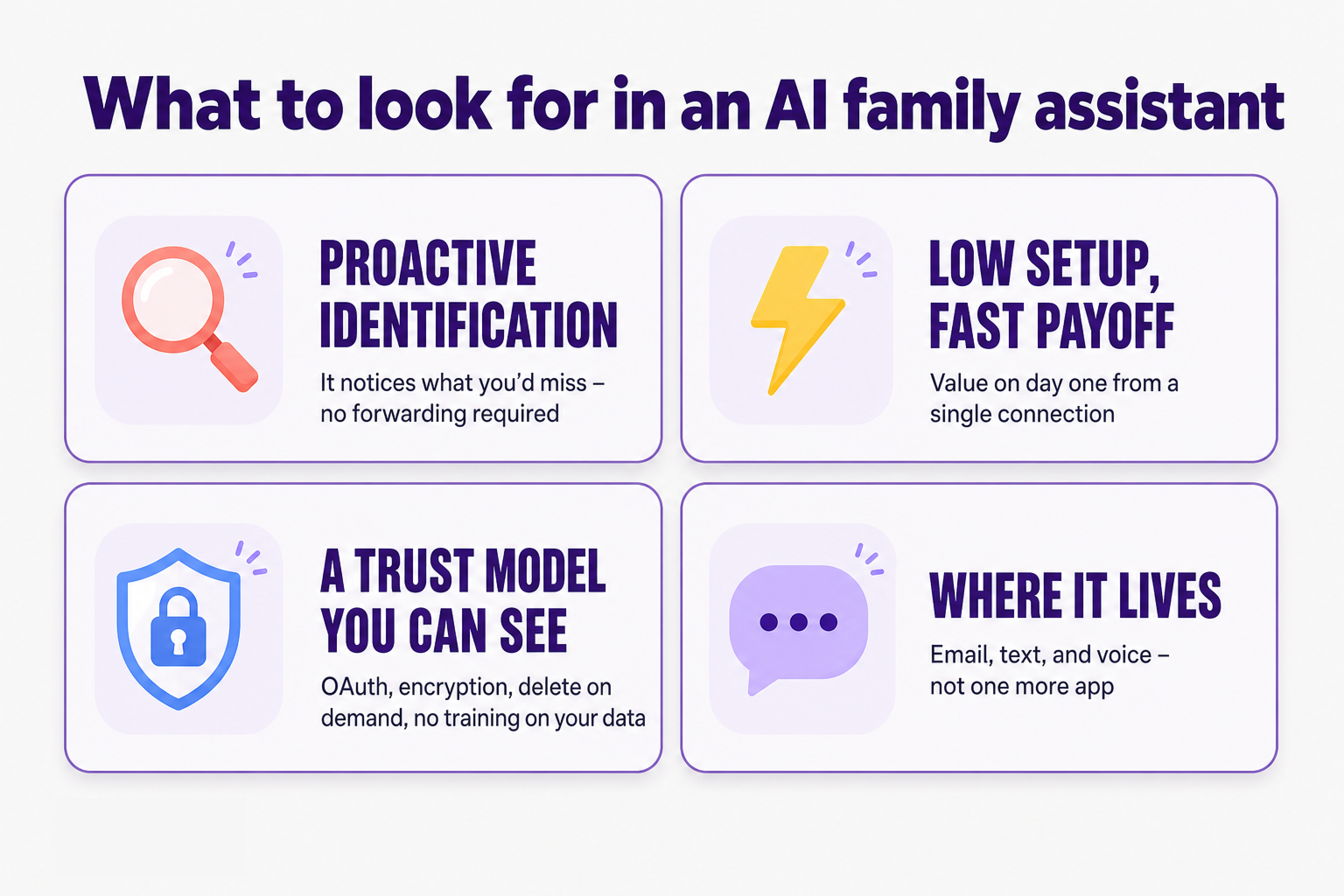
Look for proactive identification, low setup, and a trust model you can actually inspect. These three separate a real assistant from a calendar with a chat box attached.
Proactive identification over manual input. The whole value is the assistant noticing things you'd miss. If a product needs you to forward emails or tag what matters, you've just shifted the mental load, not removed it. Forwarding also breaks quietly: miss one email and the system fails, and you blame the product even though the gap was upstream.
Low setup, fast payoff. A good assistant should deliver value within the first day from a single connection, usually Gmail and Google Calendar. If a product needs days of training before it's useful, most parents will churn before they reach the payoff.
A trust model you can see. Family data is among the most personal data there is. Check whether the product uses OAuth instead of storing your password, encrypts data in transit and at rest, lets you disconnect and delete on demand, and prohibits AI providers from training on your data. Vague privacy promises aren't enough here.
Where the assistant lives. The best products meet you where you already are, by email, text, and eventually voice, rather than asking you to check yet another app. One more place to remember defeats the purpose.
Where does Fambot fit in?
Fambot is an AI family assistant built around the one step that decides whether these tools actually work: identification. It connects to Gmail and Google Calendar, reads the incoming flow, decodes school newsletters and logistics, flags conflicts and decisions, and turns all of it into a daily plan. Setup is a single connection, and there's no forwarding to remember.
The category has real alternatives, and they're good at different jobs. A kitchen-wall display like Skylight is the right call if you want a physical screen the whole family glances at. A free shared calendar like Cozi is enough if you're happy entering everything by hand.
Fambot is built for the parents who don’t have time, or don’t want, to manually read and input everything themselves. The bet behind the product is that connecting your inbox shouldn't hand you a new chore. It should remove one. So the work of reading, sorting, and prioritizing sits with the assistant, not with you. A calendar shows you what you already knew to enter. Fambot is designed to catch the early-dismissal notice you'd have scrolled past.
Frequently asked questions
Is an AI family assistant the same as a family calendar app?
No. A family calendar app stores and displays the events you enter yourself. An AI family assistant reads your incoming information, identifies what's relevant, and builds the plan for you. The calendar is the output; the assistant does the work that fills it.
Do I need an AI family assistant if I already use a shared calendar?
Likely yes, but it depends on where your time goes. If your calendar is always current because you happily enter everything, you may not need more. If the pain is the reading and remembering, catching the deadline in the newsletter, noticing the schedule change, then an assistant addresses a problem a calendar can't.
Is it safe to give an AI assistant access to my family's email?
It can be, if the product is built for it. Fambot uses secure, read-only access to understand what matters. We never send emails, never edit your calendar without permission, and never sell or share your data.Your data stays encrypted and protected. And it's never used to train AI models.
How much does an AI family assistant cost?
Pricing varies across the category and is still settling, since most products launched within the past year or two. Software assistants generally aim for consumer subscription pricing, well below the cost of a human assistant service, which can run into thousands of dollars a month. Check each product's current pricing directly, as it's changing quickly. Fambot is currently free while it’s in Beta.
What's the difference between an AI family assistant and a human assistant service?
A human assistant service puts a real person on your tasks, which is powerful but expensive and hard to scale, and requires trusting a stranger with deep access to your family's life. You also have to spend a lot of time training and managing a human assistant. An AI family assistant aims to deliver similar operational help at software prices, and they are available around the clock.
Sources
- University of Bath, "Successful career women still shoulder the majority of the 'mental load' at home" (2025) — https://www.bath.ac.uk/announcements/successful-career-women-still-shoulder-the-majority-of-the-mental-load-at-home-new-research/
- Archives of Women's Mental Health, via USC Dornsife, "Moms think more about household chores — and this cognitive burden hurts their mental health" (2026) — https://dornsife.usc.edu/news/stories/moms-cognitive-burden-chores/
- Psychology Today, "Mental Load: The Invisible Weight of Parenthood" (2024) — https://www.psychologytoday.com/us/blog/the-compassionate-brain/202412/mental-load-the-invisible-weight-of-parenthood
- PR Newswire / Stock Titan, "Skylight Fuels Family-First Innovation with $50 Million of Financing" (April 2025) — https://www.stocktitan.net/news/OBDC/skylight-fuels-family-first-innovation-with-50-million-of-financing-k0myawg0sghn.html
- TechCrunch, "Skylight debuts Calendar 2 to keep your family organized" (January 2026) — https://techcrunch.com/2026/01/07/skylight-debuts-calendar-2-to-keep-your-family-organized
- Gartner, forecast on declining traditional search volume by 2026


