
What to expect in your first week with Fambot (2026)


By: David Reich, Founder and CEO of Fambot · ~20 years building consumer technology at Uber, UnitedMasters and more
Published: 6.28.26
Last updated: 6.28.26
TL;DR
Setup takes about five minutes: connect Gmail and Google Calendar, add your kids' names and schools, and Fambot sends your first daily digest the same day. Over the first week it learns which senders and emails matter, decodes your school newsletters, and starts surfacing deadlines and to-dos you'd otherwise miss. Free while in beta, no credit card.
What happens when you first sign up for Fambot?
You sign in with Google, tell Fambot a few basics about your family, and connect Gmail and Google Calendar. That's the whole setup. Fambot starts working immediately and sends your first daily digest the day you sign up, so you see value on day one rather than after a long ramp.
The signup itself is three quick steps. You share names, ages, and school info. You connect your Gmail and Google Calendar with one click. You optionally add your phone number if you want your digest and chat by text.
No forwarding, no tagging, no screenshots. Fambot reads what's already in your inbox and figures out what's family-related on its own. That's the part that separates it from tools that only work once you manually feed them every email or event.
How long does Fambot take to set up?
About five minutes. Connecting Gmail and Google Calendar is one click each through Google's secure sign-in, and the family details take a couple of minutes to enter. You don't need to import anything, build a calendar, or configure rules before it starts working.
The honest version of the timeline: roughly five minutes to connect, same-day for your first digest, and about a week before Fambot has seen enough of your inbox to reliably know your recurring senders, your kids' teachers, and your school's newsletter rhythm.
What does the first week actually look like?
The first week is mostly Fambot learning your family while already being useful. You get a digest from day one, and its accuracy climbs as it sees more of your real email and calendar patterns. Here's the rough shape.
A few things to keep in mind during that stretch. Fambot gets more accurate as it sees more of your inbox, so the first day or two won't be as sharp as day seven. If it misses something or flags something irrelevant, you can correct it in chat, and that feedback is part of how it learns your family.
What will Fambot do for me each day?
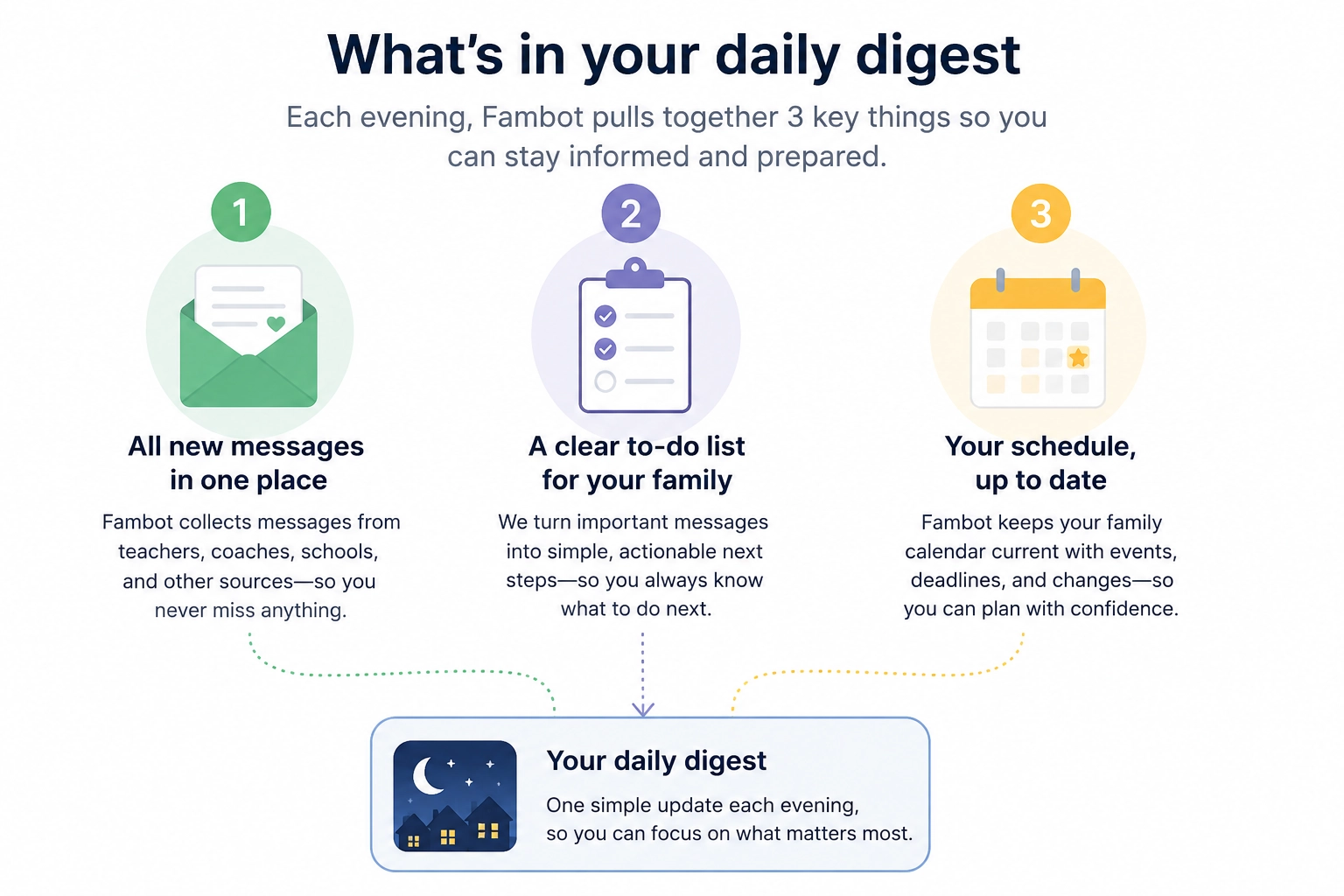
Each evening Fambot sends a clear plan for the next day: what to do, what to bring, and what's coming up. During the day it watches for changes, like a game moved due to rain or a sign-up closing soon, and pings you when something needs attention.
The daily digest pulls together a few things. Your to-dos for the day, from signing a permission slip to dressing for crazy hair day. The key dates it found in your email, ready to add to your calendar with one click. A look at the week ahead so nothing sneaks up on you.
You can also just reply to the text. Ask a question, get details on something, or have Fambot add an item to your calendar, straight from the same thread.
What do I need to get started with Fambot?
A Gmail account and a Google Calendar. That's the core requirement today. Adding your phone number is optional but recommended, since the text digest and chat are where a lot of the day-to-day value lives.
Here's the full list:
- A Gmail account (Fambot works with Gmail today, not Outlook or iCloud yet)
- Google Calendar
- Your kids' names, ages, and school details
- A phone number, optional, for the text digest and chat
- About five minutes
If you don't use Gmail, you can join the early-access list and Fambot will let you know when it supports your provider.
How do I sign up for Fambot?
Go to fambot.com and choose "Sign up with Google." From there it's a short guided setup, and your first digest lands the same day.
- Go to fambot.com and click "Sign up with Google."
- Tell Fambot your family's names, ages, and schools.
- Connect your Gmail and Google Calendar with one click each.
- Optionally add your phone number for text digests and chat.
- Wait for your first daily digest, which arrives the day you sign up.
Is Fambot free? Do I need a credit card?
Fambot is free while in beta, and no credit card is required to start. The company has said it will later offer both a free tier and a paid tier, and that you'll still be able to use the free tier when paid plans launch.
Is my data safe during the first week and after?
Fambot uses secure, read-only access to your email. It never sends emails for you, never edits your calendar without permission, and says it doesn't sell or share your data. Your data is encrypted, and Fambot states it isn't used to train AI models.
Two specifics worth knowing up front. Fambot connects through Google's sign-in rather than storing your password. And if you disconnect, the company says it erases your account. For the full picture, Fambot publishes a Trust & Safety page and a privacy policy.
What if Fambot misses something or gets something wrong in the first week?
Expect some of this early on, and correct it in chat. Fambot is still learning your family during the first week, so it may surface something irrelevant or miss a one-off. Telling it what matters is how it tunes itself to your household.
This is worth setting expectations on honestly. The product is in beta, and the first few digests are a starting point that sharpens as Fambot sees more of your real inbox, not a finished picture on day one.
Frequently asked questions
How soon do I get my first digest?
The day you sign up. You'll get your first daily digest by email and/or text on day one.
Do I have to forward emails or tag anything?
No. No forwarding, tagging, or screenshots. You connect once and Fambot finds what matters on its own.
Can I use Fambot without Gmail?
Not yet. Fambot works with Gmail and Google Calendar today. If you use Outlook, iCloud, or another provider, you can join the early-access list.
Does Fambot send emails or message people for me?
No. Fambot never sends emails on your behalf.
What happens if I disconnect?
Fambot says it erases your account if you disconnect.
Will it work if I have several kids at different schools?
Yes. Fambot builds a profile for your whole family and learns each school's communications separately. One beta parent with six kids across four schools said it had already saved them several times.
Next steps
If you want to see what Fambot catches in your own inbox, sign up with Google at fambot.com. Setup takes about five minutes and your first digest arrives the same day, free while in beta.
Sources
- Fambot, "How it works" (fambot.com/how-it-works)
- Fambot homepage and FAQ (fambot.com)
- Fambot Trust & Safety (fambot.com/trust-and-safety)
- Fambot Privacy Policy (fambot.com/privacy-policy)


